





Contact center QA software is usually priced per user, per month, often on an annual contract. Platforms with AI scoring usually add a second meter: a monthly allowance of AI-scored conversations, with credits for anything past it. So the honest answer to "what does QA software cost?" is that it depends on a short list of variables you already know about your own operation.
That's also why so few vendors publish a single figure. A small team scoring chats manually and a large operation running AI scoring across channels such as voice and chat aren't buying the same thing. The best thing is to work out your own variables before you ask for a quote, so you can compare vendors on real numbers that fit your needs. Then weigh that number against what manual QA is costing you today, to see whether the move pays off.
How contact center QA software is priced
Three models show up again and again:
| Model | How you're charged | Suits | Watch for |
|---|---|---|---|
| Per user | A monthly fee for each person who logs in | Teams with steady headcount who want a bill they can budget for | Who counts as a user: agents checking their own scores, QA analysts, supervisors, people who only read reports |
| Per conversation | Credits or bundles, used up for each conversation scored or transcribed | Teams whose volume swings with the season | A busy month can push the bill past what you planned |
| Plans or modules | A fixed plan where each level adds features, or modules bought one at a time | Plans suit teams that want one price for a defined set of features. Modules suit teams that need one or two specific tools | Modules look cheaper right up until you've added the ones you actually needed |
Most vendors blend these models to some extent: a per-user plan sets the base price, for example, with AI usage on top. No model is cheaper by default, so pick the one that matches the way your conversation volumes move.
What drives the price of QA software
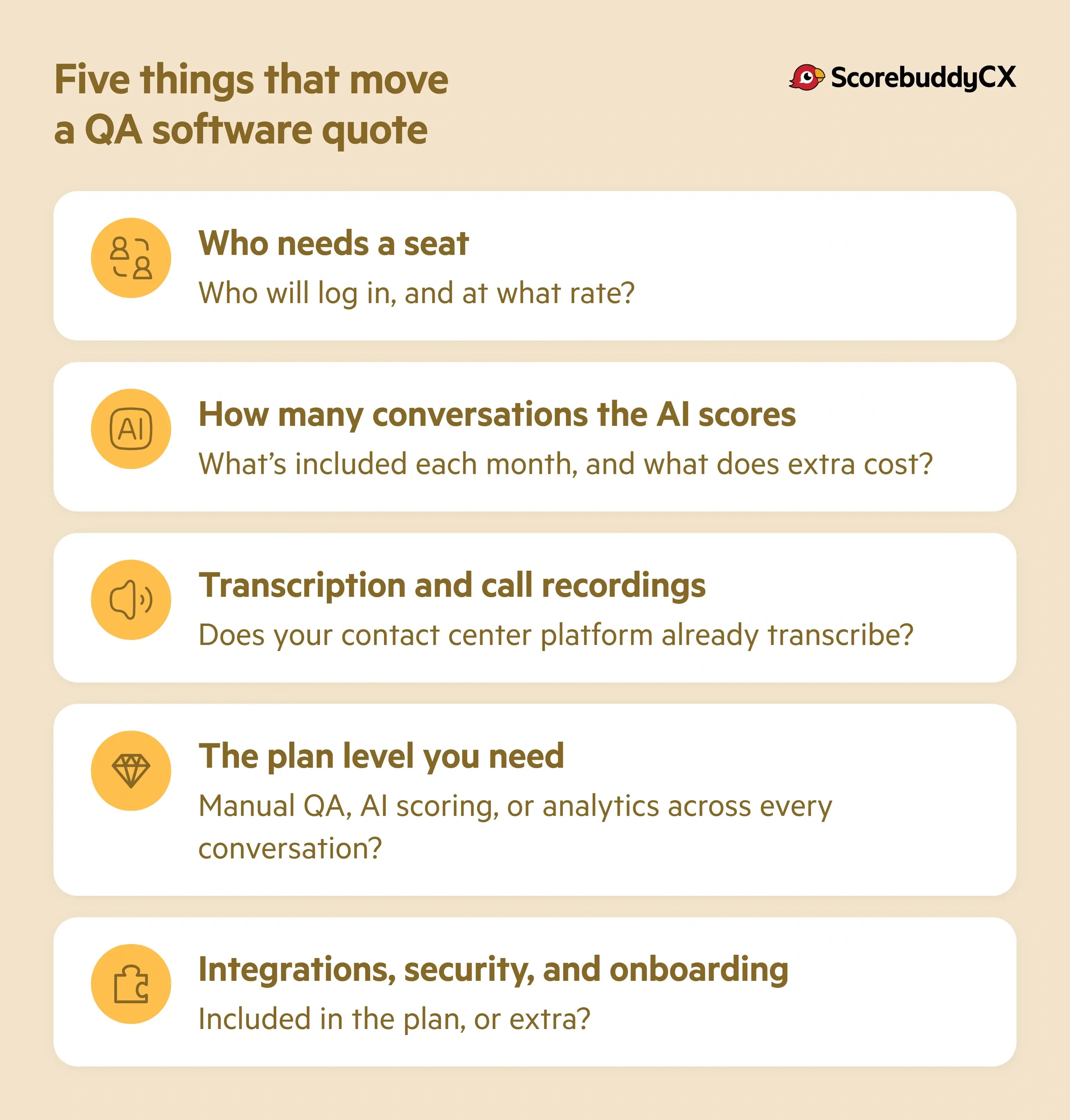
Five things move the number on a QA software quote. Pin each one down before you talk to a vendor.
Who needs a seat
On a per-user plan, seats set the base of the quote. Count everyone who'll log in:
- QA analysts and team leads, for certain
- Agents, if they'll see their own scores and feedback (they should)
- Anyone who only reads reports
Then ask whether view-only users and seasonal staff are charged at the full rate, and whether a seat can pass to a new person when someone leaves.
How many conversations the AI scores
On plans that include AI scoring, volume is the second big variable. Most plans include a monthly allowance of AI-scored conversations, and the price depends on how far past it you go. Estimate your monthly conversation count by channel, decide what share you want scored, and ask what an extra bundle of scores costs before you need one.
Transcription and call recordings
Voice conversations have to become text before AI can score them, and transcription is usually charged by volume. Check whether your contact center platform already records and transcribes your calls. If it does, you shouldn't need to pay for transcription twice. Text channels such as chat and email skip this cost.
The plan level you need
A team that wants consistent manual scorecards and solid reporting needs less than a team that wants AI scoring, analytics across every conversation, and coaching built on the results. Higher plans cost more per user. They also take work off your team, and sometimes stand in for another tool, so look at the price in the context of what other cost items it might replace.
Integrations, security, and onboarding
Connections to your contact center platform or CRM, single sign-on, a choice of data region, and the depth of onboarding support often sit in higher plans or carry their own fees. Regulated teams tend to need most of them. Ask which are included and which cost extra, because these are the lines that move an enterprise quote.
Costs to check before you sign
The price per user is the number everyone compares. These are the ones that tend to turn up later:
- Onboarding and implementation fees, if setup isn't part of the plan
- Usage past your allowance, for AI scores and transcription minutes
- Seat rules for temporary staff, view-only users, and people who change roles
- Contract terms: length, renewal notice, and what happens to the price at renewal
- Your own team's time to build scorecards and calibrate AI scores against human reviewers, then decide how often a human reviews AI scores after launch
None of these are unusual items. In fact, they're all necessary elements of building a plan. But they can sting if you only notice them after signing the contract, so make sure you review everything thoroughly.
Questions to ask every QA software vendor
You'll have questions of your own, and some of these may not matter for your team, but they're a good starting point. Put them to every vendor you're evaluating (us included!).
- Is the price per user, per conversation, or both?
- Who needs a seat? Do agents, supervisors, and view-only users all count?
- How many AI-scored conversations does the plan include each month, and what does an extra bundle cost?
- Is transcription included, or charged by the minute?
- Is there a setup fee, and what does onboarding actually include?
- Which integrations come with the plan?
- Annual or monthly contract? How much notice does renewal need?
- Can we move up a plan mid-contract, and can seats move between people as staff change?
What manual QA costs you today
A quote is easier to understand when you look at it next to the cost of what you're doing right now. Manual QA can't be fully captured in a single line in the budget, because you pay for it in analyst hours as well as tooling costs. Work out that QA analyst cost for your own team:
Agents × evaluations per agent each month × minutes per evaluation = analyst minutes spent on QA each month
Divide by 60 for hours. Then look at what those hours buy you. In our view, a manual QA program reviews 2 or 3% of interactions in a typical contact center, while automated scoring can reach up to 100% of them. That gap is what you're comparing when you set a license fee against an analyst's month.
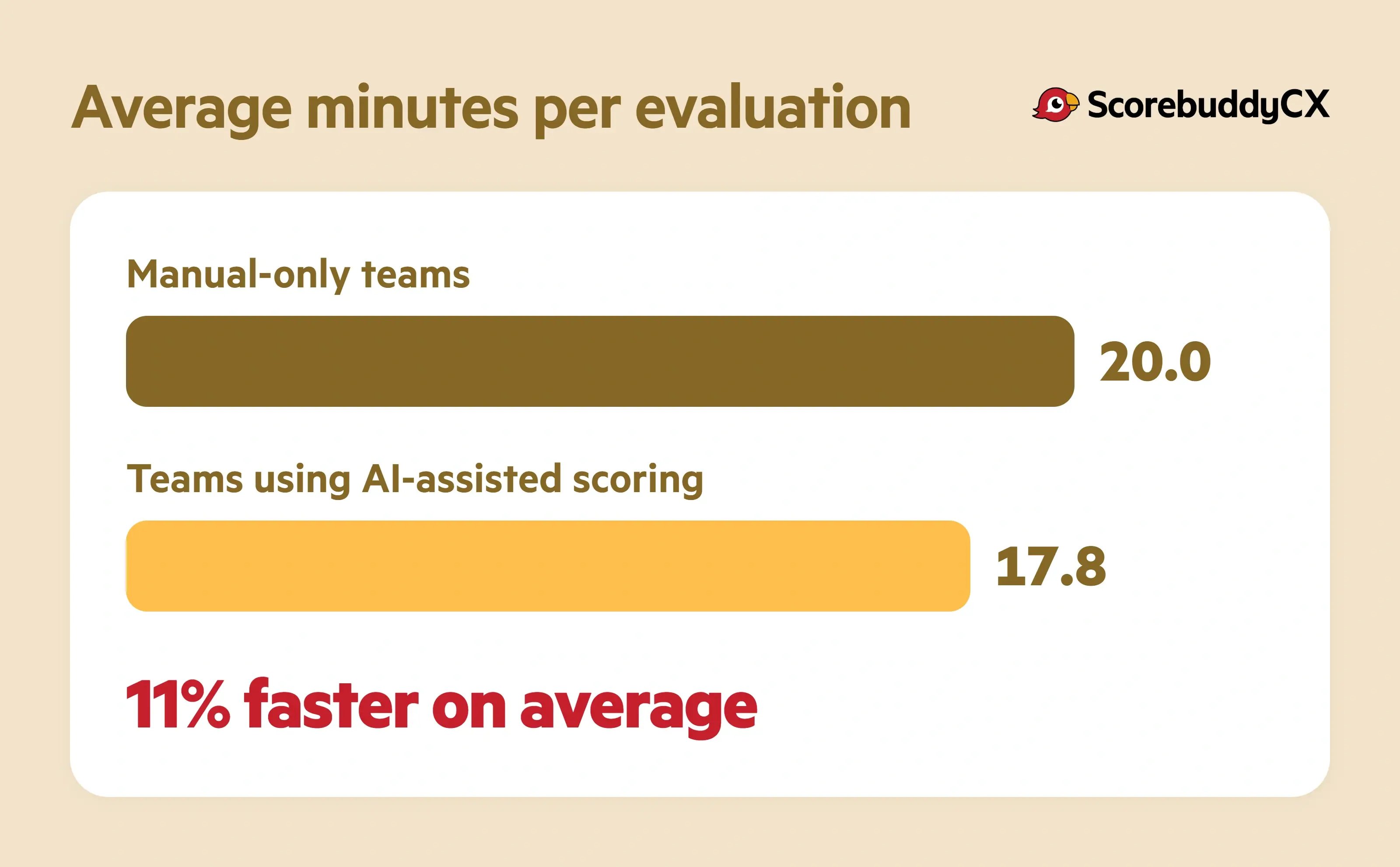
Speed counts too. Our AI Reality Check report includes user data from 290 active ScorebuddyCX customer accounts, and it shows that teams using AI-assisted scoring review evaluations 11% faster on average than manual-only teams: 17.8 minutes against 20.0 minutes per evaluation.
If you're looking for a quick way to do the math, our QA ROI calculator estimates potential cost savings, coverage increases, and efficiency gains from your own numbers in a couple of minutes.
Some teams price a third option: building their own QA tool on top of an LLM. The first version of a DIY build can be pretty cheap to spin up internally. But owning it long-term is where the cost sits, in integrations, compliance, calibration, and the upkeep that lands on your team, as our CTO sets out in the real cost of building your own QA platform.
How ScorebuddyCX pricing works
We price by the number of users and the plan you choose, and our pricing page sets out what each plan includes. There are three:
- Foundation is a complete QA program: customizable scorecards, QA workflows, calibration, agent dashboards, advanced and compliance reporting, and standard integrations.
- Accelerate adds AI Auto Scoring, with 500 AI scores a month included. You also get Business Intelligence dashboards, our in-platform Coaching module, a dedicated client manager, and integrations with contact center platforms such as Genesys, Amazon Connect, NICE CXone, Five9, and Talkdesk.
- Elite brings in our Conversation Analytics module and 1,000 AI scores a month, plus AI voice transcription, Salesforce and Open API integrations, single sign-on, and a choice of data region (EU, US, or UK).
On Accelerate and Elite you can add our Learning Management System, which runs inside the platform, and extra AI Auto Scoring credits, and Elite can add AI Transcription credits too. Credits are used per conversation scored or transcribed, and we'll help you estimate how many you need from your forecast volumes. You can move up a plan at any time as your program grows.
Contracts are annual, which keeps your costs predictable, and custom enterprise agreements are available in certain cases. Every plan includes onboarding and support, with more hands-on help on the higher plans.
We quote rather than publish a single price because the right package depends on all the variables we've discussed above. For an accurate quote, tell us how many people need access, which channels you score, roughly how many conversations you handle each month, and which platforms you'd connect.
Want to see what that looks like for your team? Request a price and we'll put a package together around your numbers.
Weigh the price against what it gives back
On paper, a QA platform will usually cost more than the spreadsheets it replaces. Spreadsheets don't come with an invoice. But they do come with the analyst hours you worked out above, spent on scoring and admin, and a sample of conversations too small to show you much.
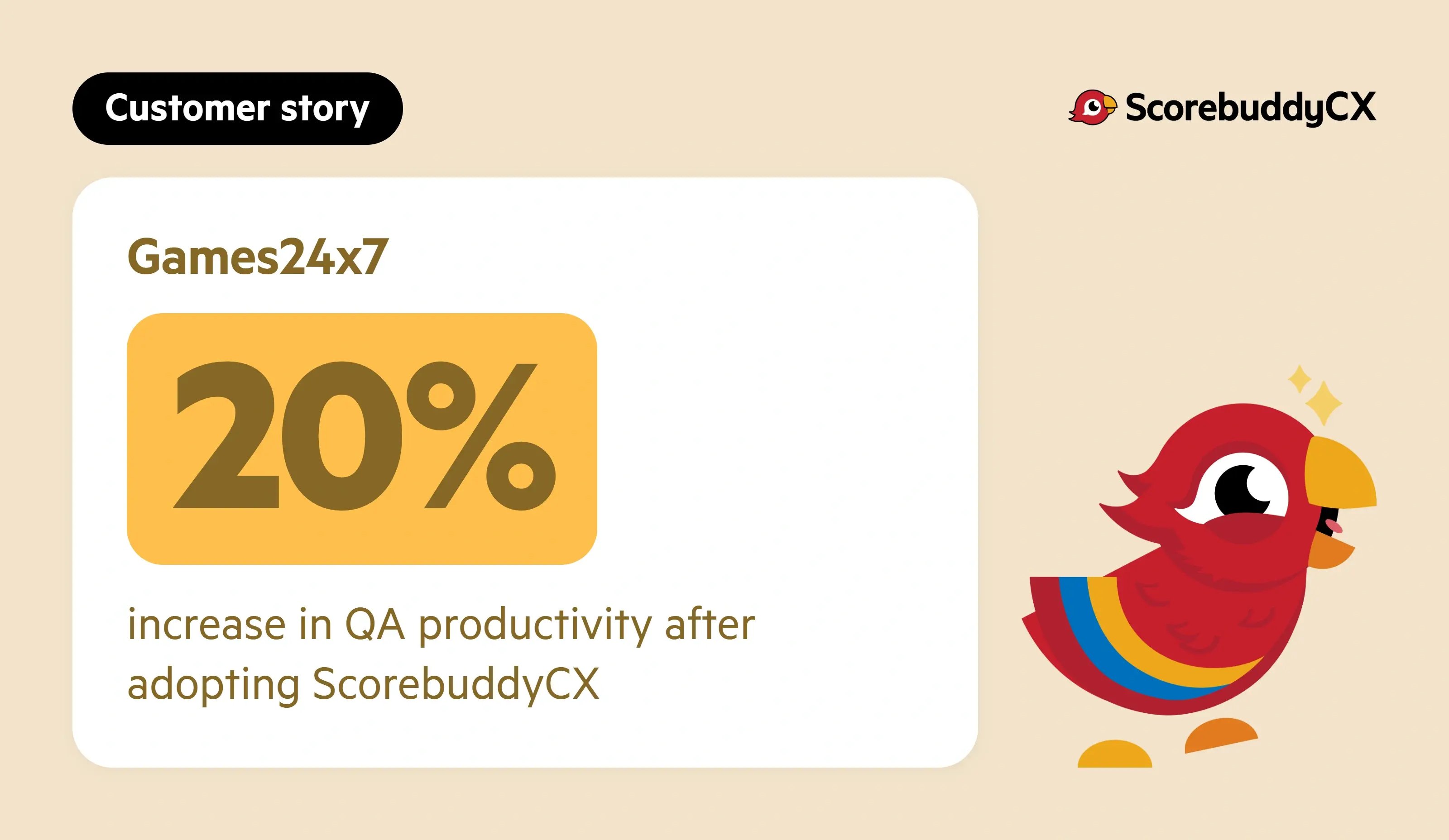
So weigh the quote against what those hours could go toward instead. ScorebuddyCX customer Games24x7 achieved a 20% increase in QA productivity after moving its QA out of spreadsheets. Evaluators who aren't buried in admin can spend more of their week coaching agents and digging into what drives CSAT, first contact resolution, and handle time, the numbers a QA program is there to move in the first place.
You don't need your numbers worked out to ask. Get a price for your team and we'll work through them with you, or see how ScorebuddyCX scores conversations in a demo first.
